
Follow these steps to permanently delete your account using the Coforge EventHub mobile application.
(Note: Menu names and locations might vary slightly depending on the app version and your operating system - iOS or Android).
Once the app is open, look for your hamburger icon (three lines). Tap on it. You'll see side menu with many options
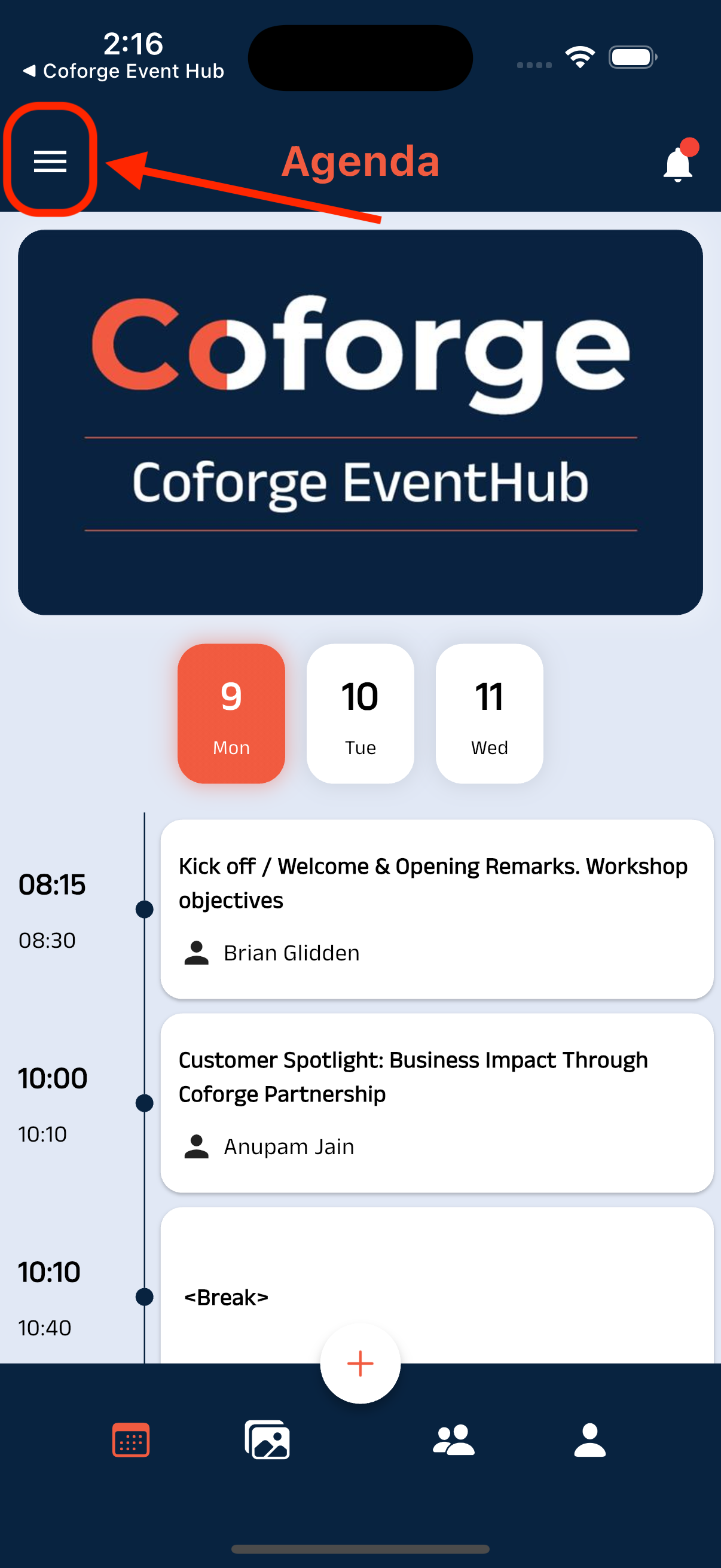
Accessing the Settings Menu (Example)
Within the Settings menu, look for a option
About UsTap on this option.
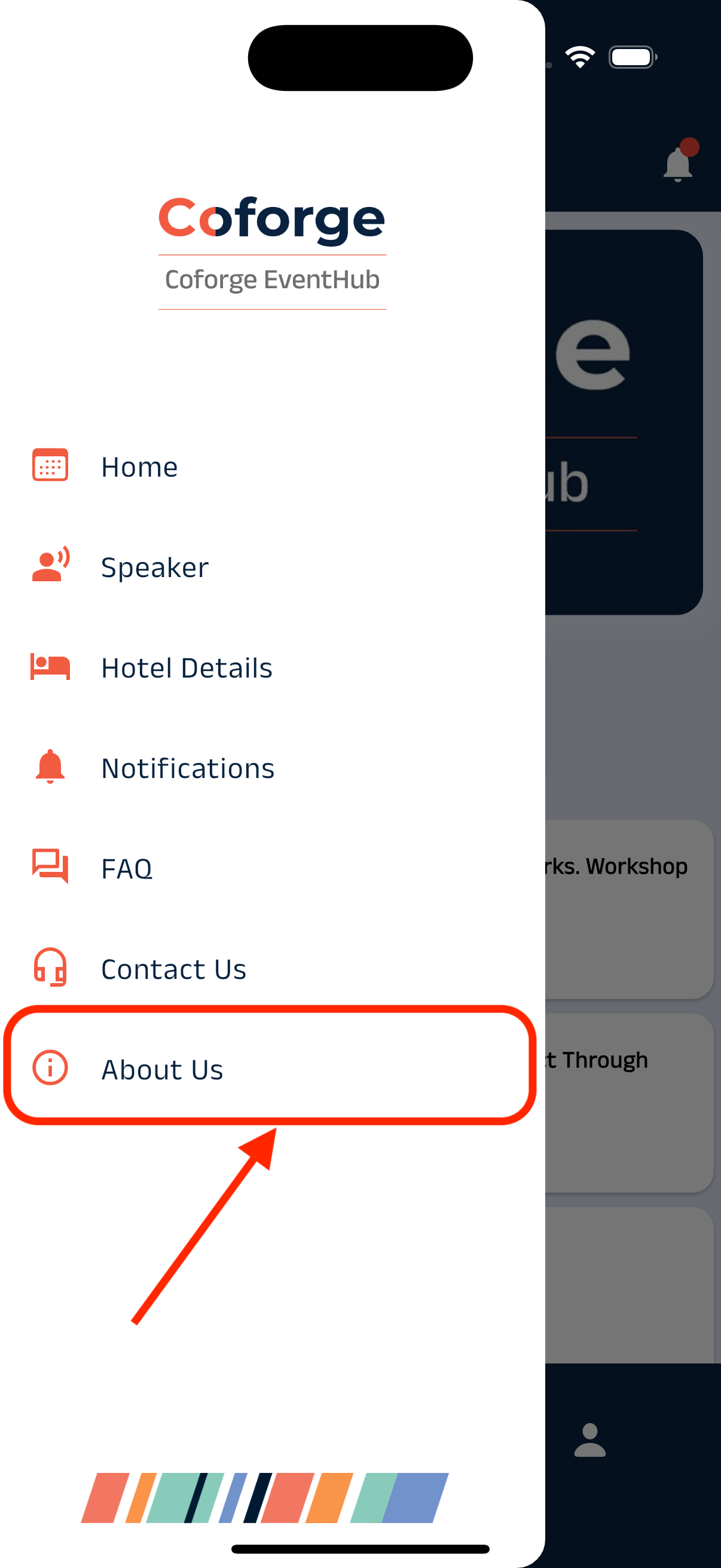
Side menu (Example)
Look for a link or button labeled
Account Settings
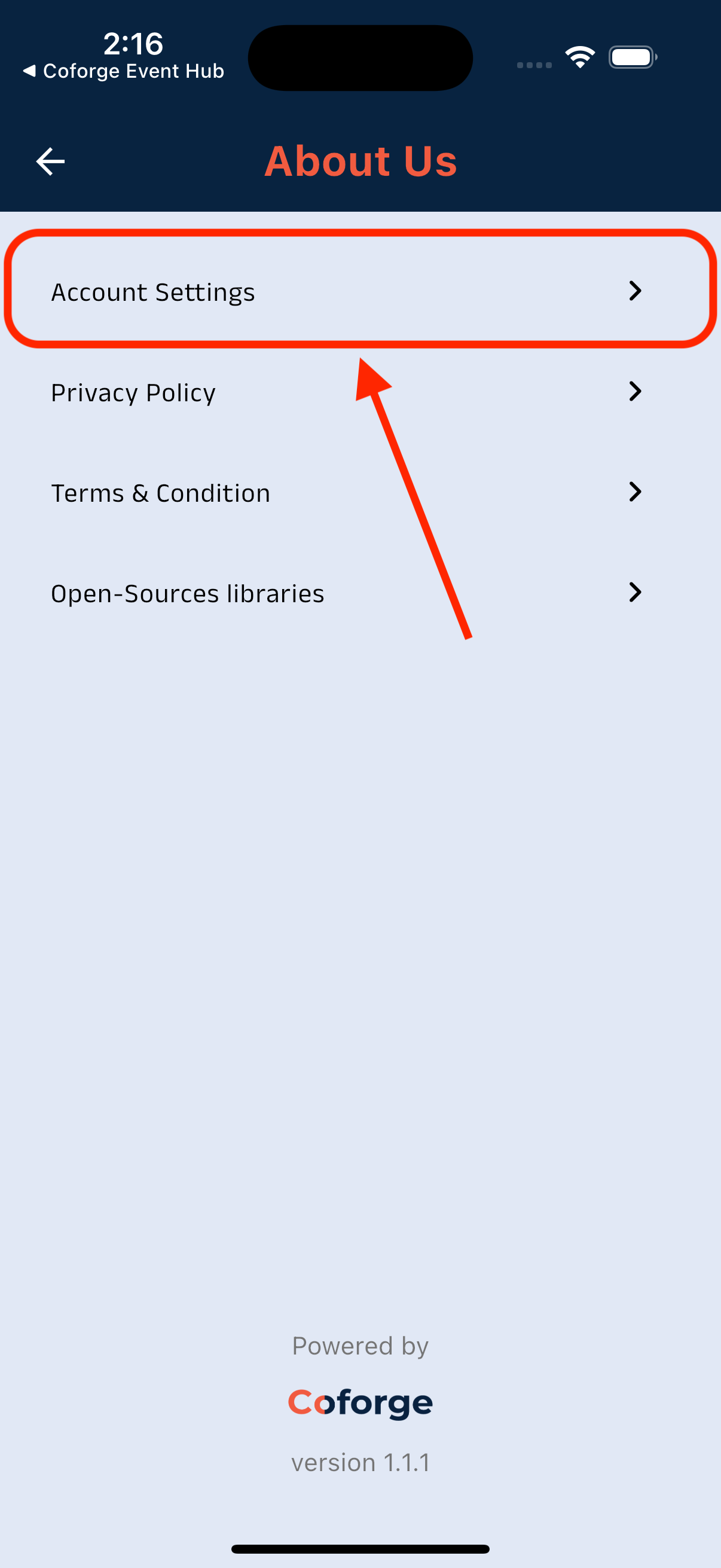
Finding the Account Settings Option (Example)
Look for a link or button labeled
Delete Account.
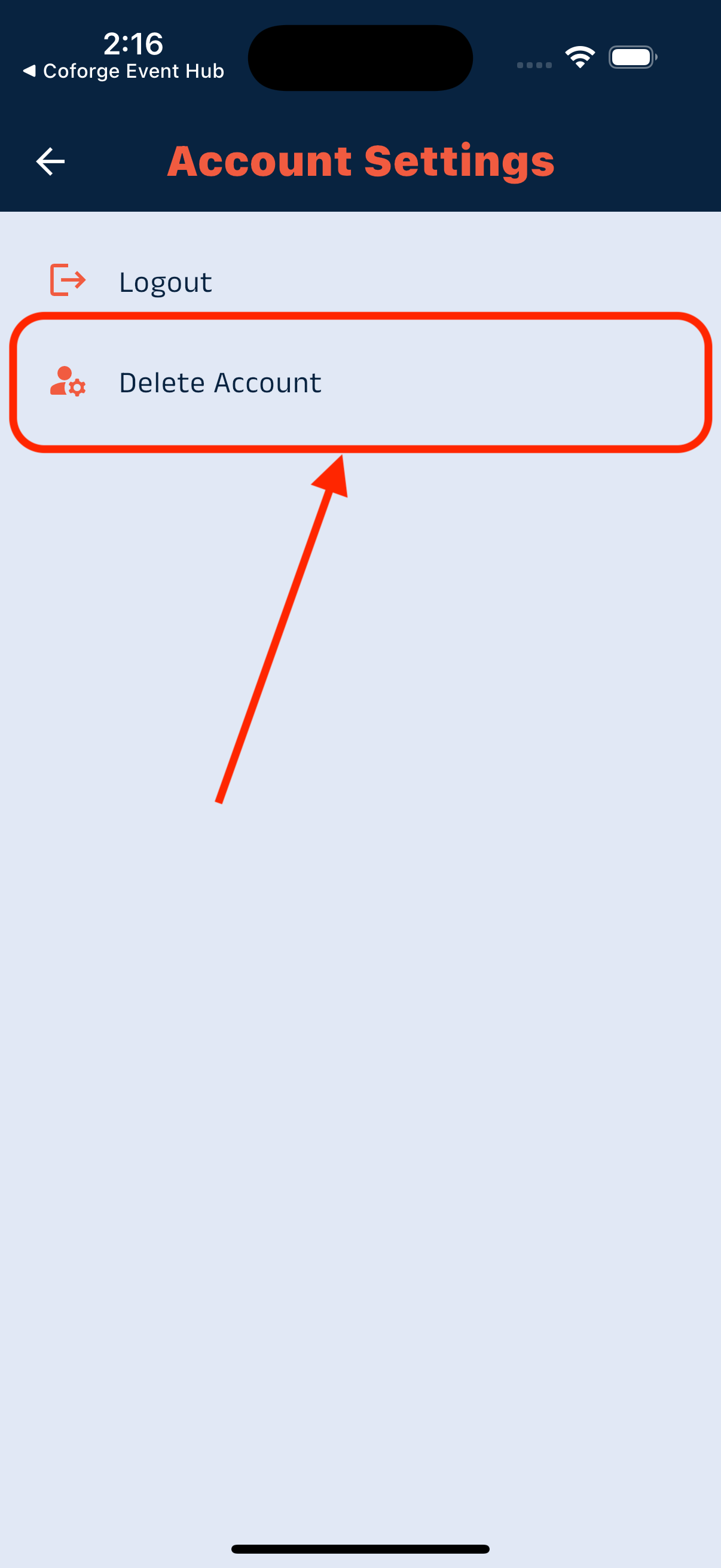
Finding the Delete Account Option (Example)
The app will likely ask you to confirm your decision.
Read these prompts carefully and proceed by tapping Yes
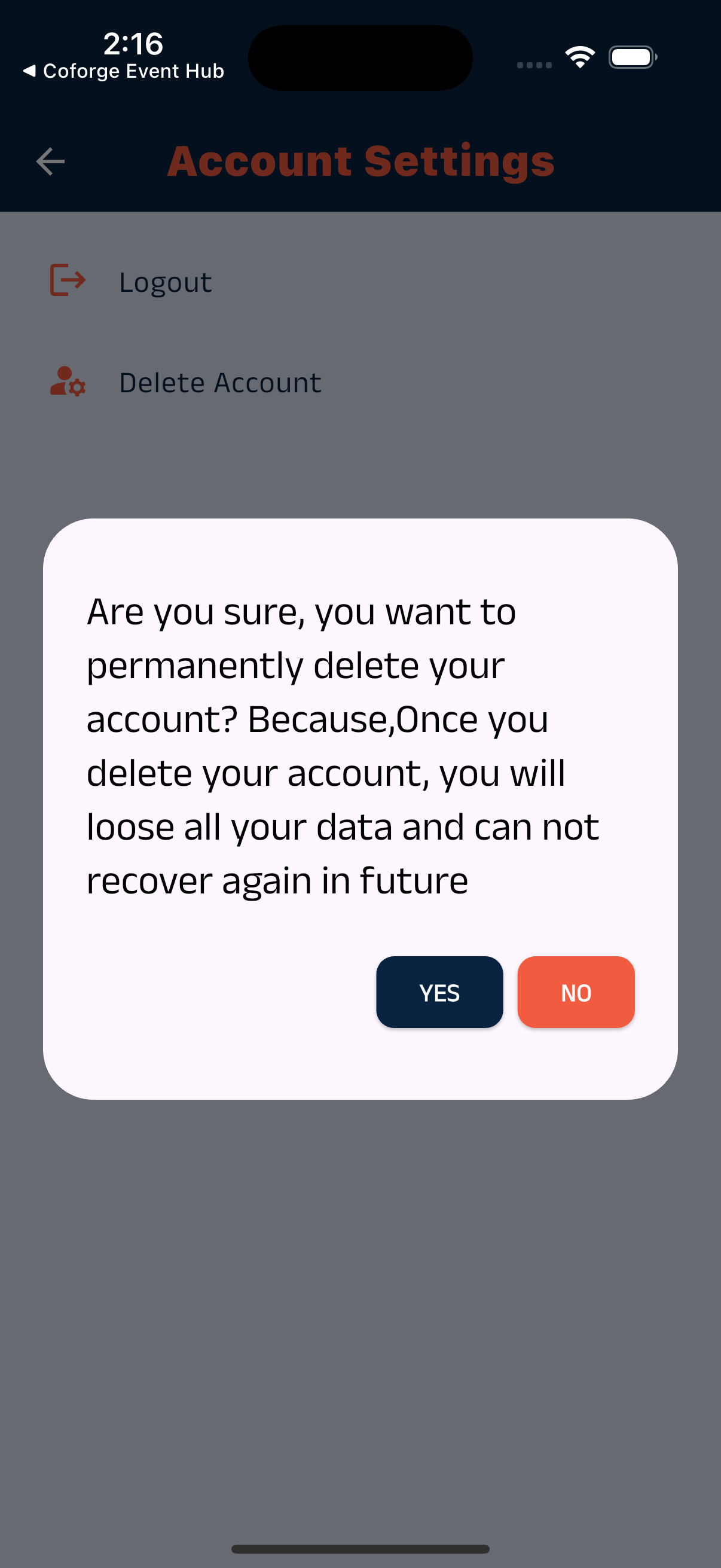
Confirmation Prompt (Example)